Adding an AI Chatbot to an Existing Product
The full recipe for adding an OpenAI-powered chatbot to a live product: chunking, embeddings, retrieval, grounding, and one clean endpoint, with code.
Muhammad Usman
July 2, 2026 · 3 min read
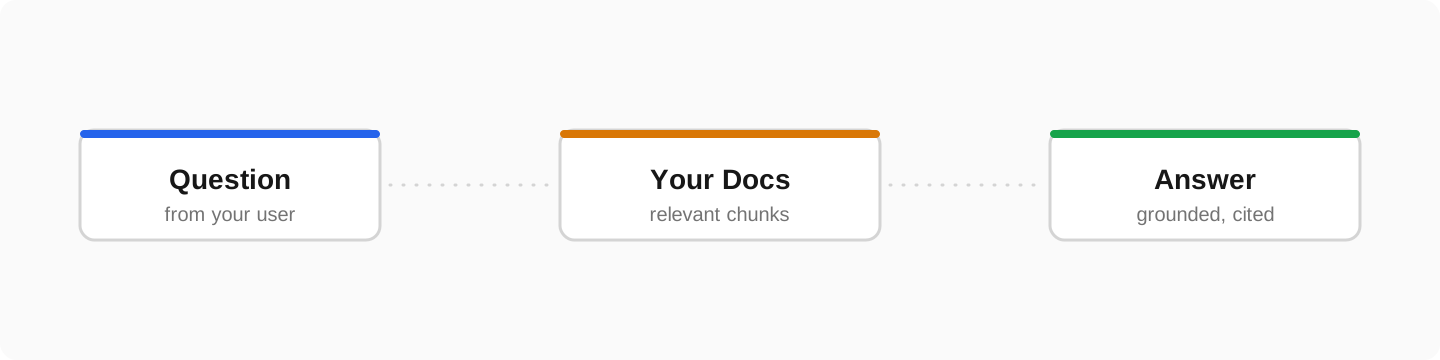
Most teams do not want a new AI product. They want a chatbot inside their existing app that knows their content and does not invent answers. You can add that without rebuilding anything. This is the exact recipe I use on client projects.
Step 1: Prepare the knowledge
Collect the real sources: docs, FAQs, product data, past support replies. Split them into chunks along natural boundaries and store an embedding for each chunk:
// One-time indexing job
const chunks = splitIntoChunks(docs, { maxTokens: 600 })   // by headings/paragraphs

for (const chunk of chunks) {
  const { data } = await openai.embeddings.create({
    model: 'text-embedding-3-small',
    input: chunk.text,
  })
  await db.chunks.insert({
    text: chunk.text,
    source: chunk.source,
    embedding: data[0].embedding,   // pgvector column
  })
}
Step 2: Retrieve per question
At question time, embed the question and fetch the most similar chunks. With Postgres and pgvector this is one query:
-- top 6 most relevant chunks for the question embedding
SELECT text, source
FROM chunks
ORDER BY embedding <=> $1
LIMIT 6;
Step 3: Ground the model hard
Hallucination is solvable with strict grounding. The system prompt allows answers only from the retrieved context:
const systemPrompt = `You are the support assistant for <Product>.
Answer ONLY from the provided context.
If the context does not contain the answer, say:
"I am not sure about that, please contact support."
Never invent features, prices, or policies.`

const completion = await openai.chat.completions.create({
  model: 'gpt-5-mini',
  stream: true,
  messages: [
    { role: 'system', content: systemPrompt },
    { role: 'user', content: `Context:\n${chunks.join('\n---\n')}\n\nQuestion: ${question}` },
  ],
})
Step 4: One endpoint, full logging
Put retrieval, prompting, and streaming behind a single backend endpoint; the frontend only renders messages. Log every question and answer from day one, real user questions are the best dataset for improving retrieval and finding doc gaps. Add a thumbs up/down button; that single signal finds the weak answers fast.
What it costs
A typical support bot runs on a few dollars a month of API usage: embeddings are pennies, and answers use a small fast model because the knowledge lives in your content, not in the model. The real investment is the one-time integration, and that is a well-defined project, not research.
Frequently asked questions
Can a chatbot be added without rebuilding my app?+
Yes. It is typically one backend endpoint plus a chat widget. Your stack, database, and auth stay untouched.
How do I stop the bot from making things up?+
Retrieval-grounded answers plus an instruction to admit uncertainty removes most hallucinations. Logs and a feedback button catch the rest.
Which model should I use?+
Start with a fast low-cost model; grounded answers do not need the biggest model. Because knowledge lives in your content, you can swap models later without redoing the integration.